
SCT Save Location
An SCT can be saved in either of these locations:
• Save in a Separate File on the file system. Use this option to save the SCT to its own file on your file system. This is useful to share the SCT amongst multiple models or to keep it separate in your version control system.
• Save in the Model File. Use this option to save the SCT within the model file. It will open (but stay hidden) when the model opens. Use this option to keep one or more SCTs closely coupled with the model file.
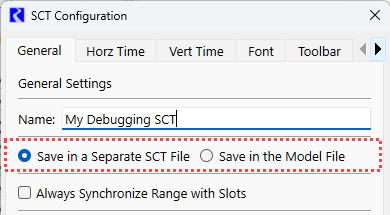
The Save location is specified on the General tab of the SCT Configuration window:
Figure 2.2 SCT Configuration with Save Location Highlighted
Related topics
Revised: 05/30/2026