
Show the Quick Plot Panel
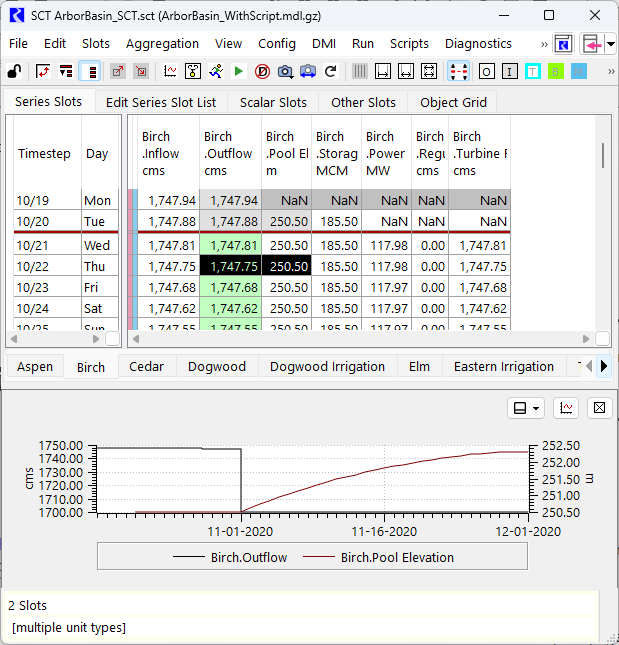
Use this procedure to display the Quick Plot panel; it shows a plot of the selected data.
1. Go to the Series Slots tab.
2. Select the slots.
3. Use the View and then Show Quick Plot menu.
4. A plot is shown of the selected plots. A sample is shown in the following screen shot. From the quick plot, select to show the panel in the top, bottom, left or right of the window.
Related topics
Revised: 05/30/2026