
Accessing the Quick Plot
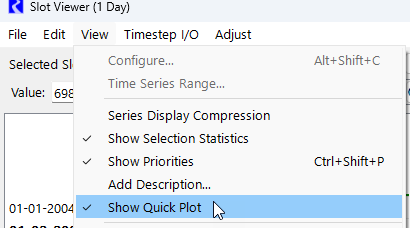
On the above windows, the Quick Plot using the View and then Show Quick Plot menu item.
Figure 1.4 View Menu with Show Quick Plot Highlighted
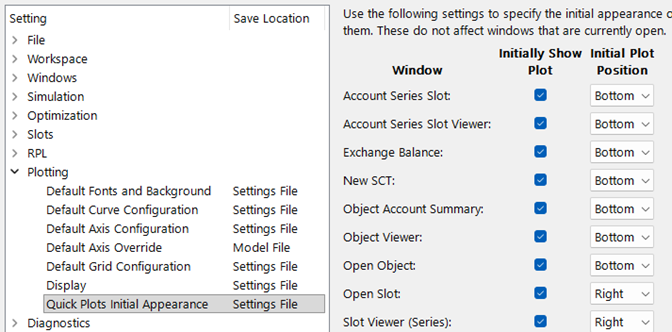
Configure settings in the Settings Manager to show the Quick Plot on startup for the various window types. Use the settings in the Plotting section and then Quick Plot Initial Appearance. See the following screen shot. If showing, specify the position. As noted, these are the startup settings and do not apply to open windows.
For more information on the Settings Manager, see Settings Manager in User Interface.
Figure 1.5
Revised: 05/30/2026