
Model Files
The following changes were made to model files.
Backup File “.bak” Settings
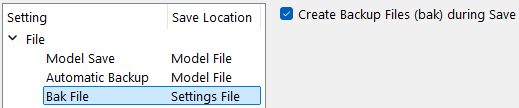
A new setting was added to the Settings Manager to control whether a backup (.bak) file gets created the first time a model is saved during a RiverWare session. The option is enabled by default to maintain current behavior. Uncheck the setting to not create the bak files.
Figure 1.8 Settings Manager with Bak File Settings
See Bak Files in User Interface for more information.
Model Information - RPL Sets Saved in the Model
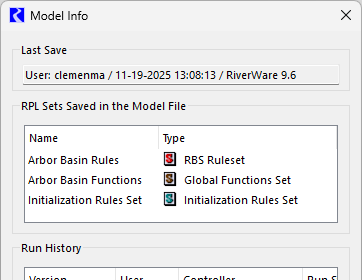
The Model Info window was enhanced to display the RPL sets that are saved in the model file. This includes the following sets if they are saved in the model:
• The loaded RBS Ruleset
• The loaded Optimization Goal Set
• Any Global Functions Set
and the following sets if they are not empty:
• Initialization Rules Set
• Expression Slots Set
• Iterative MRM Rules Set
• Object Level Accounting Methods Set
See Model Info in User Interface for more information about the Model Info window.
Figure 1.9 Model Info Window with new RPL Sets Section
Revised: 12/01/2025